Read TPS, MSPT, and heap
Understand sample windows and timing scopes before drawing conclusions about load.
On this page
Check local status
nusa status
nusa status watch
nusa status details
nusa status off
status shows one summary. watch updates a player action bar or console line, every three seconds by default, and expires after five minutes. off stops it. details shows module scopes; json provides machine-readable output. Permission: nusaspigot.command.status.
Read the main measurements
| Metric | Meaning |
|---|---|
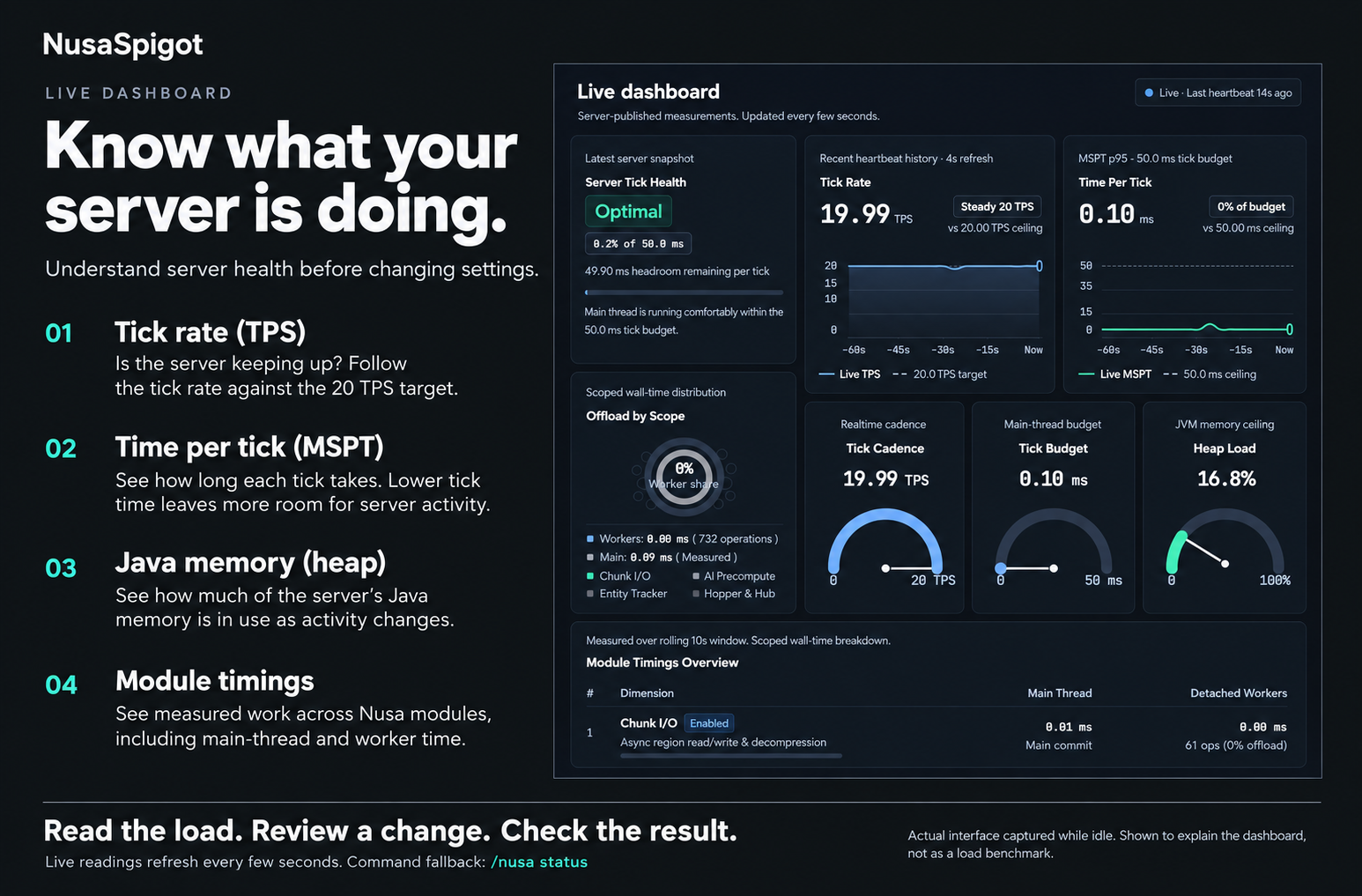
| TPS | Completed ticks per second, up to the normal target of 20. A high value does not prove every interaction is smooth. |
| MSPT | Milliseconds of work per tick. At 20 TPS the interval is about 50 ms; regularly exceeding that work budget needs investigation. |
| Heap used / max | Java-managed memory usage and limit, not free host RAM or total container memory. |
| Timestamp / heartbeat | Whether the sample is current. Old readings cannot describe the present state. |
Local status uses up to 200 recent completed ticks, not Paper’s one/five/fifteen-minute averages. Initial samples may be warming up. Cloud aggregations can differ, for example percentiles; do not compare a percentile with a mean as if they were identical.
Main and worker timings
Scopes include chunk I/O, AI precompute, tracking, hopper, and hub density. Values are accumulated wall time and operation counts over the sample interval. Hopper scope measures idle scheduling decisions, not all item transfers.
Nested/concurrent scopes can overlap. Do not add them as a CPU breakdown or total tick duration. Zero operations means that scope did not execute in the sample, not that the whole module has no cost. Worker time does not mean all gameplay moved off main.
Explained interface example
Choose the next check
Profile while high MSPT occurs. For heap pressure, inspect GC patterns and post-GC memory rather than one peak. For stale heartbeats, check connectivity first. Follow fair before/after measurement before tuning.